
Robotics
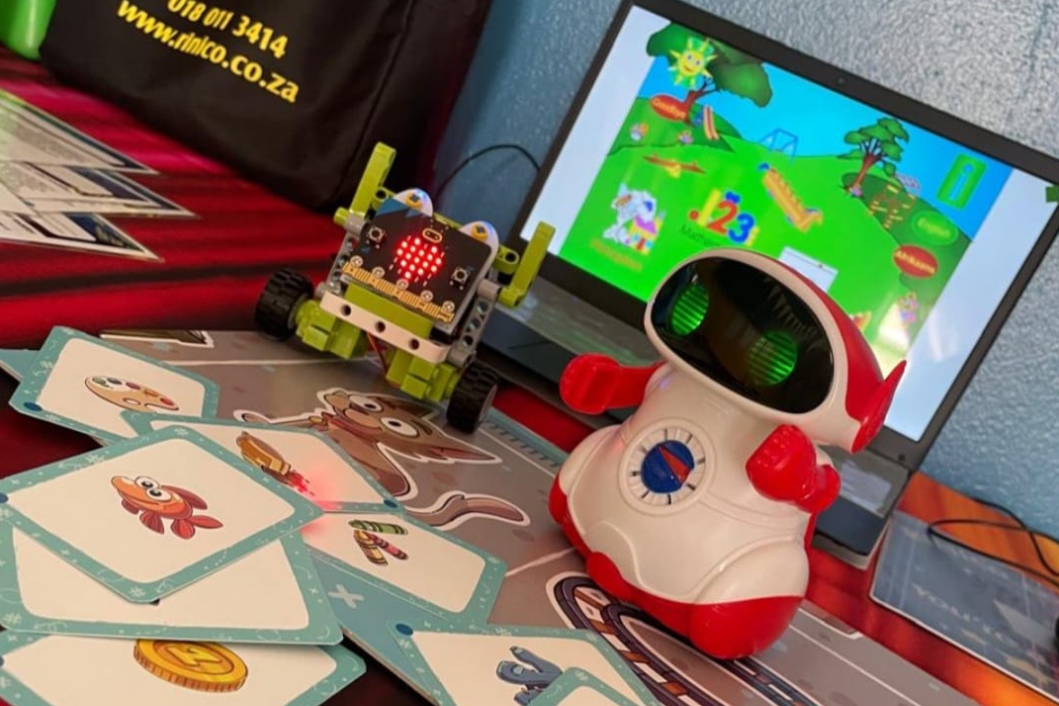
A fun and educational activity where kids program robots to perform tasks or solve problems.
It uses hands-on activities with simple robots and coding tools, helping children learn basic concepts of engineering, technology and programming.
Robotics encourages creativity, teamwork and critical thinking, while also introducing kids to the exciting world of STEM (Science, Technology, Engineering and Mathematics).
Key Concepts of Robotics
for Grades RR to 3
1. Introduction to Robots
- What it is: Helping students understand what robots are and how they work.
- How it works: Introduce robots as machines that can do tasks automatically.
- Why it’s important: It creates curiosity and gives children a basic understanding of the role robots play in various industries and our lives.
2. Basic Movements
- What it is: Teaching students to make their robot move by using basic commands like “move forward”, “turn” or “stop.”
- How it works: Using visual programming languages, kids can program their robots to move or perform simple actions like turning or going in a straight line.
- Why it’s important: Learning basic movement helps children understand the connection between programming and the robot’s actions, as well as how to control a machine.
3. Simple Programming and Commands
- What it is: Introducing children to the concept of programming by using simple blocks or visual coding languages.
- How it works: Kids can drag and drop blocks of code to give commands to their robots.
- Why it’s important: Early exposure to coding helps children build an understanding of sequencing ( putting actions in the right order ) and gives them a sense of how to control technology with their instructions.
4. Exploring Sensors
- What it is: Teaching students about sensors, which help robots understand and interact with their environment.
- How it works: Using simple sensors such as touch sensors, children can make robots that react to the environment.
- Why it’s important: Sensors allow children to see how robots can “sense” their surroundings and respond accordingly – which introduces them to the idea of interactive, intelligent behavior in machines.
5. Problem-Solving and Challenges
- What it is: Presenting coding challenges where children can program their robot to complete tasks – such as navigating a maze.
- How it works: Kids can work in teams to solve challenges by programming their robots to move and avoid obstacles.
- Why it’s important: Problem-solving tasks develop critical thinking and encourage children to experiment, learn from mistakes and literate on their designs.
6. Basic Algorithms
- What it is: Introducing kids to algorithms, which are just step-by-step instructions for a robot to follow.
- How it works: Children can create simple algorithms by programming their robot to perform a set of actions in a specific order (e.g. “go forward”, “turn”, “go backwards”).
- Why it’s important: Understanding the algorithms is key to programming. It teaches kids how to break tasks into smaller, manageable steps.
7. Testing and Debugging
- What it is: Teaching kids how to test their robots and fix errors or issues in the programming or the robot’s behavior.
- How it works: Children can test their robots and identify problems in the programming, like the robot not turning as expected or not moving. They can then troubleshoot and make adjustments.
- Why it’s important: Debugging teaches perseverance and critical thinking. It helps kids understand that mistakes are a part of the learning process and they can work through them to improve their designs.
Key Concepts of Robotics
for Grades 4 to 7
1. Introduction to Robots
- What it is: Helping students understand what robots are and how they work.
- How it works: Introduce robots as machines that can do tasks automatically.
- Why it’s important: It creates curiosity and gives children a basic understanding of the role robots play in various industries and our lives.
2. Basic Movements
- What it is: Teaching students to make their robot move using basic commands like “move forward,” “turn,” or “stop.”
- How it works: Using visual programming languages, kids can program their robots to move by or perform simple actions like turning or going in a straight line.
- Why it’s important: Helps children understand how programming controls a robot’s actions and lays the foundation for more complex tasks.
3. Simple Programming and Commands
- What it is: Introducing children to programming through block-based or visual coding languages.
- How it works: Kids drag and drop blocks of code to create a sequence of commands.
- Why it’s important: Builds logic, sequencing skills and the ability to control technology with precise instructions.
4. Exploring Sensors
- What it is: Teaching students about sensors that help robots “sense” their surroundings.
- How it works: Use touch, light or distance sensors to allow robots to react to their environment (e.g., stop when they hit a wall).
- Why it’s important: Shows how robots can interact with the real world and introduces responsive, intelligent behavior.
5. Problem-Solving and Challenges
- What it is: Providing tasks or games that require students to make their robot complete a challenge.
- How it works: Students work in teams to design, build and program their robot to solve problems, like avoiding obstacles or reaching a goal.
- Why it’s important: Develops critical thinking, teamwork and resilience through trial and error.
6. Basic Algorithms
- What it is: Teaching that algorithms are a list of steps that a robot can follow to do a task.
- How it works: Children plan out step-by-step instructions (like a recipe) and then program their robot to follow them.
- Why it’s important: Builds foundational computational thinking and helps kids learn to plan and organize tasks logically.
7. Testing and Debugging
- What it is: Showing students how to test their code and fix issues when the robot doesn’t behave as expected.
- How it works: Kids run their programs, observe problems and make corrections to improve their robot’s performance.
- Why it’s important: Encourages perseverance, attention to detail, and learning from mistakes—valuable skills in all areas of learning.
8. Save and Transfer
- What it is: It is a process where the robot’s coding (the set of instructions or program) is stored on a computer or another device.
- How it works: The stored code is transferred to the robot through a cable connection. Once the transfer is complete, the robot receives the program and is able to read it. The robot then follows the instructions step by step to perform the programmed task.
- Why it is important: This process is important because it allows the robot to carry out specific actions accurately and consistently. Without transferring the coding, the robot would not know what to do. By programming and transferring instructions we can control the robot to perform useful tasks, save time and reduce human effort.