
Computer Literacy
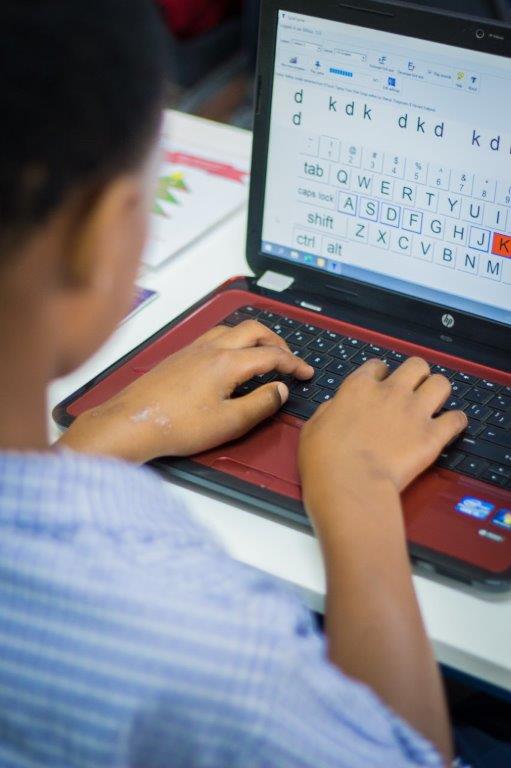
The ability to use computers and digital devices effectively.
It involves understanding basic computer functions, using software applications.
For young learners, it includes skills like typing, using a mouse, interacting with educational programs and developing problem-solving abilities through technology.
Computer literacy helps children build a strong foundation for learning and future use of technology.
COMPUTER LITERACY
FOR PRE-SCHOOLERS
1. Mouse Literacy
- Learning how to hold and move the mouse.
- Understanding left-click, right-click and double-click.
- Practicing how to point, drag and drop items on the screen.
2. Keyboard Literacy
- Knowing the letters, number, and special keys.
- Learning how to type words and use spaces, enter and backspace.
- Introduction to using shift, caps lock and punctuation keys.
3. Switch Computer On/Off
- Learning the correct way to turn the computer on.
- Shutting down safely so files are not lost.
- Why it is important not to just unplug the computer.
4. Software Basics Using Children’s Programs
- Understanding what software is (programs that make the computer useful).
- Opening, using and closing simple educational programs.
- Practicing with children’s games to learn how to use menus, buttons and tools.
COMPUTER LITERACY
FOR PRIMARY SCHOOLS
1. Typing and Keyboard Skills
- Focus: Building strong typing skills for schoolwork.
- Content:
– Identifying letters, numbers and function keys.
– Correct hand placement on the keyboard.
– Practicing speed and accuracy in typing.
2. Basic Computer Components
- Focus: Recognizing the parts of a computer.
- Content:
– Monitor, keyboard, mouse, CPU, speakers, printer, etc.
– Understanding what each part does.
3. Operating Systems and Navigation
- Focus: Understanding how to use the computer’s system.
- Content:
– What an operating system is (Windows basics).
– Using the desktop, start menu and taskbar.
– Opening, saving and closing files.
4. Exposure to Microsoft Word
- Focus: Using Word for school assignments.
- Content:
– Typing and formatting text (bold, italics, underline, fonts).
– Inserting pictures and creating simple tables.
– Saving, opening and printing documents.
5. Exposure to Microsoft Excel
- Focus: Introduction to spreadsheets.
- Content:
– Understanding rows, columns and cells.
– Entering data and using simple formulas.
– Creating and reading basic charts.
6. General Computer Literacy & Digital Skills
- Focus: Using computers to help with school tasks.
- Content:
– Understanding software vs hardware.
– Following and executing step-by-step instructions.